On this page
Before you start
- Signed-in Alpha account
Step by step
- Open Quick Start.
- Accept the language, adult, and policy confirmations.
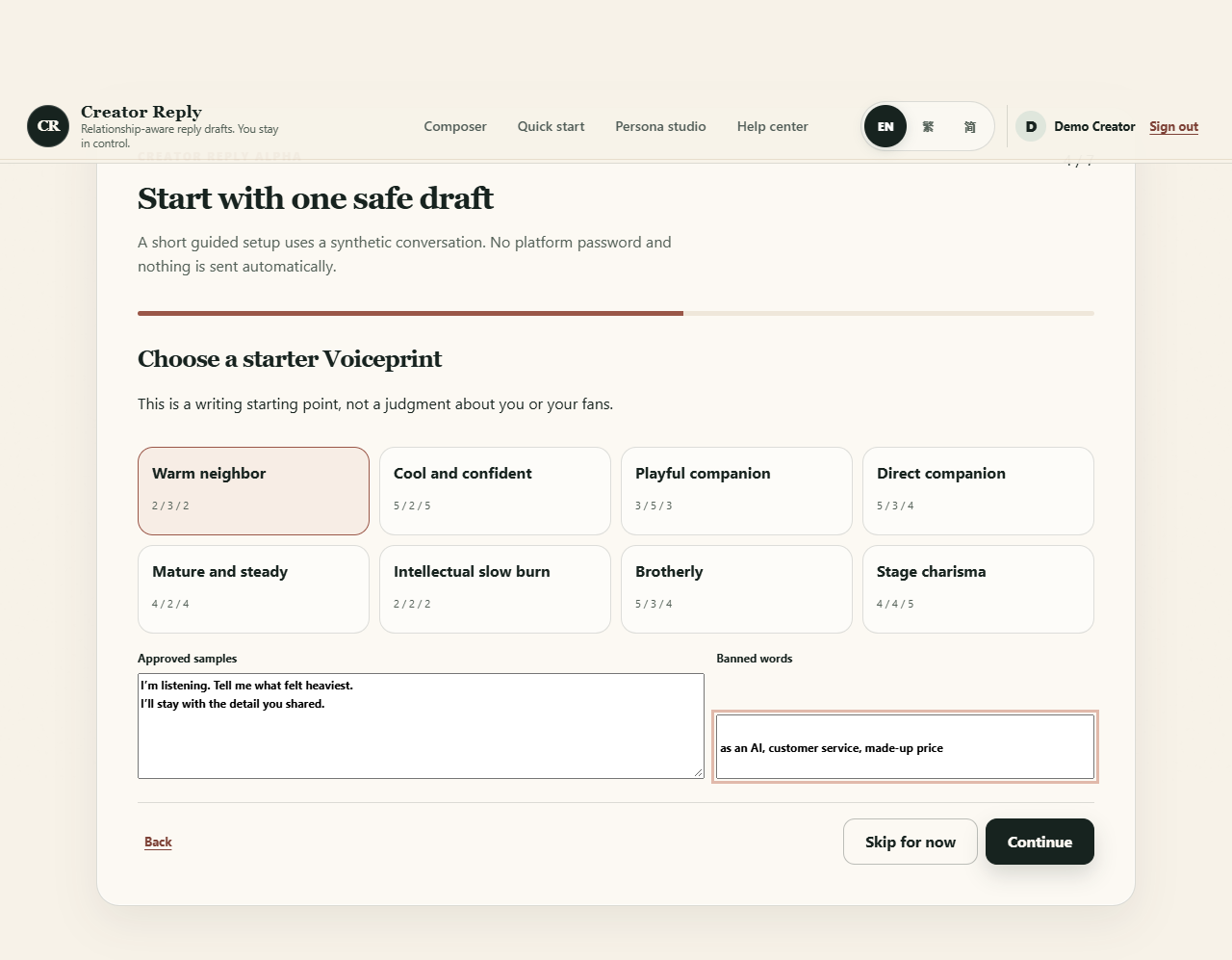
- Choose a safe Voiceprint preset.
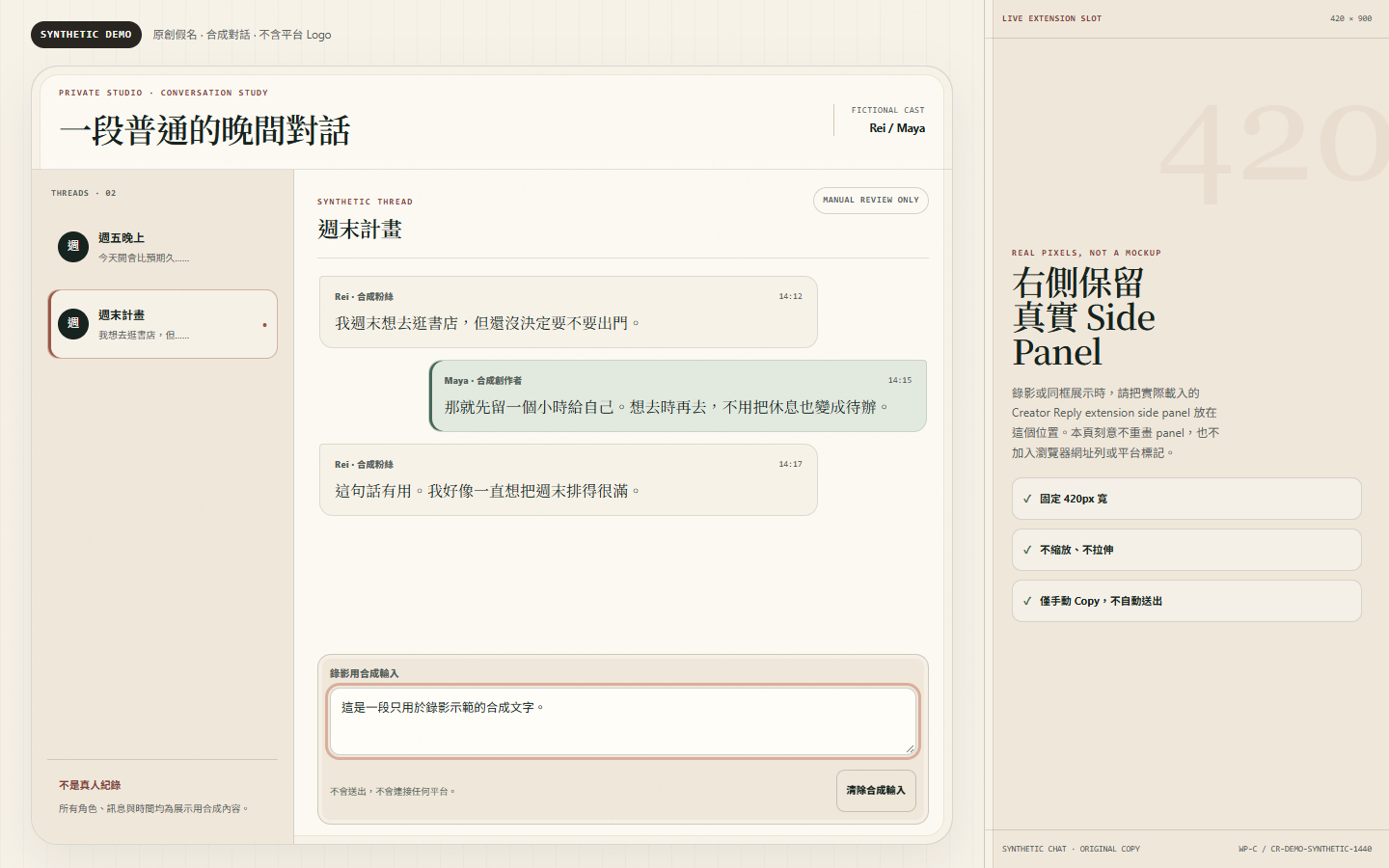
- Use the synthetic conversation.
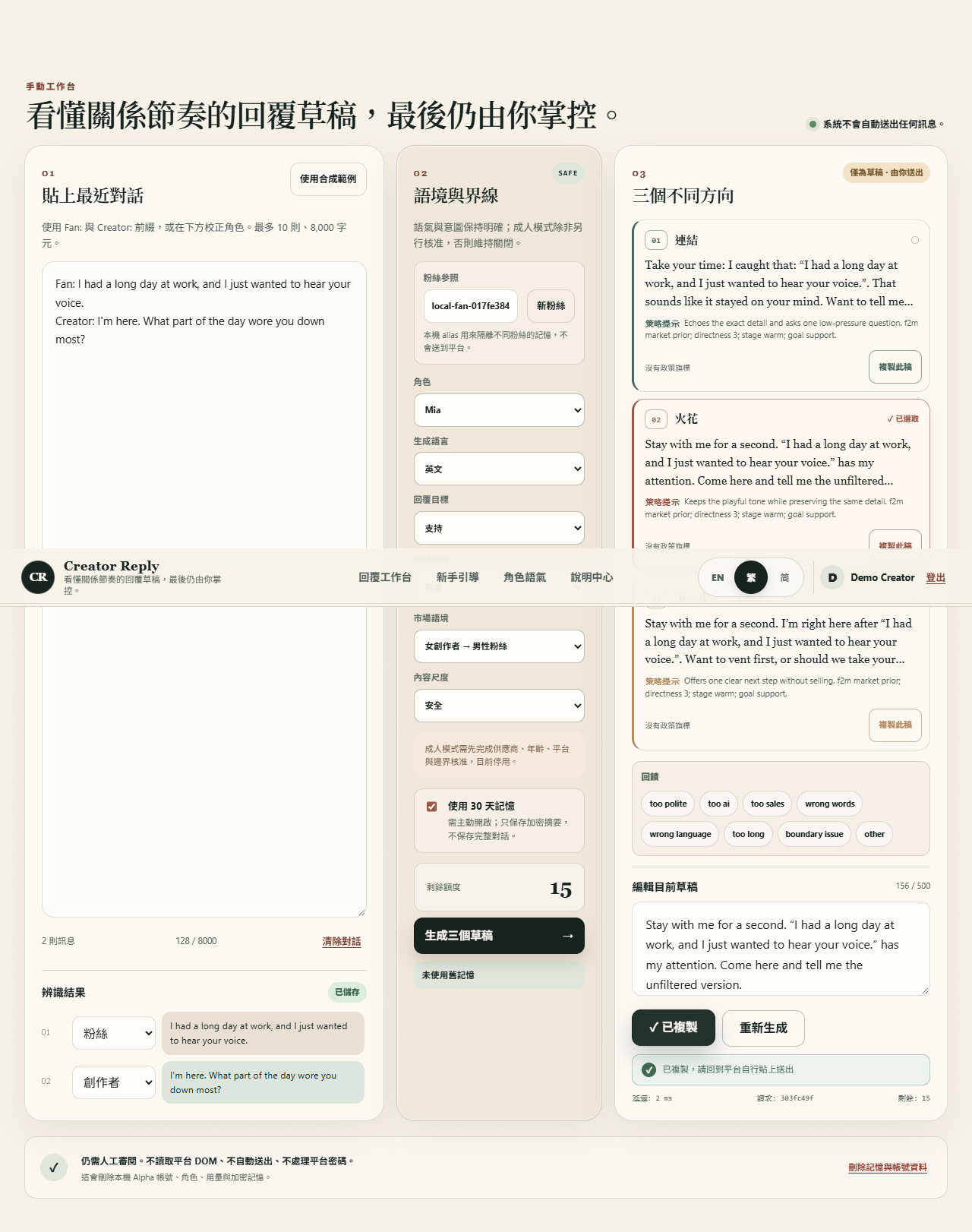
- Generate, edit, and copy the first draft.
Product evidence
These are real Creator Reply interface pixels using synthetic content. They are screenshots, not fabricated video.
Recovery path
Protect the conversation first, then choose one next action. Do not retry by pasting more personal data.
- Do not start with the extension.
- Do not paste real fan data.
- Do not choose Adult mode in Alpha.
Privacy and safety
The Alpha boundary is visible on every step: manual review, manual copy, and manual send.
Start in the Web Composer. The extension is optional.
- No platform password or cookie
- No platform DOM reading
- Nothing is sent automatically
- Memory can be disabled or deleted